
Customizing a board
Each board can look and behave its own way. Open a board and click Customize at the top (or press B, or right-click the board > Customize…).
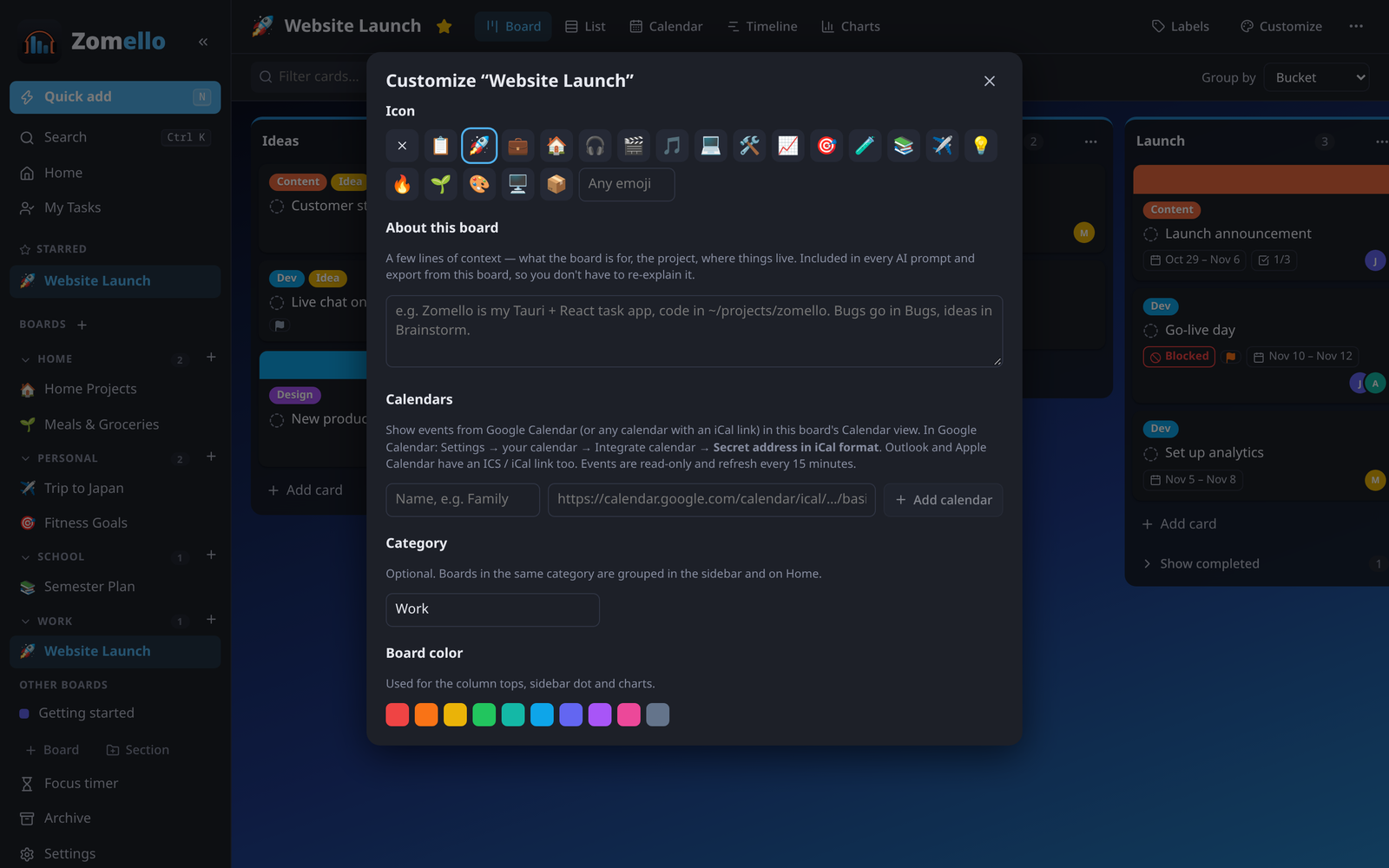
Icon and color
- Icon: pick one of the suggested icons or type any emoji. It shows in the menu, on Home and in the board's title.
- Board color: used for the bucket tops, the dot in the menu and the charts.
About this board
A few lines saying what the board is for: the project, who's involved, where things live. It's included when you use the AI tools or export the board, so you don't have to explain it again.
Background
- Choose a color, a gradient, or Upload an image (or drop a picture onto this section).
- Background effects: Blur softens a busy picture; Dim darkens it so cards stay readable.
Layout
- Column width: narrow, normal or wide buckets.
- Labels on cards: Named pills (the label's name in color) or Color bars (thin colored stripes, more compact).
- Compact cards: tighter spacing and smaller text, to fit more on screen.
What cards show
For each kind of detail, choose Hidden, Icon (a small symbol or count) or Details (the actual information):
| Detail | Icon | Details |
|---|---|---|
| Dates | Due date | Dates plus "in 3 days" or "2 days late", and the repeat rule |
| Priority | Colored flag | Named badge (Urgent, Important…) |
| Checklist | Count (2/5) | The items themselves, tickable right on the card |
| Assigned to | Avatars | Avatars with names |
| Description | Icon | The first lines |
| Notes | Count | The latest note |
| Linked tasks | Count | Linked task names |
| Files & links | Count | File names |
| Time tracked | Total | Total and estimate |
Hide ticked checklist items on cards keeps finished steps out of the way when the checklist shows details. A single bucket can override all of this from its menu (Card display…, Ticked checklist items).
Card details window
Untick parts of the card window you don't use on this board: Labels, Custom fields, Activity, Progress, Start date, Due date, Reminder, Repeat, Time & focus, Cover, Move to board. Nothing is deleted; tick it again to bring it back.
Card aging
Fade cards nobody has touched in a while. Unfinished cards fade a little after 1, 2 and 4 weeks without any change, so forgotten work stands out. Editing, moving or adding a note makes a card fresh again.
Calendars
Show events from Google Calendar, Outlook or Apple Calendar in this board's Calendar view. See Calendar feeds.
Category
Which section the board is in. Same as dragging it in the menu.
Custom fields
Extra information on every card: see Custom fields.
Related
- Settings for the app-wide look (theme, accent color, density)