
Zomello
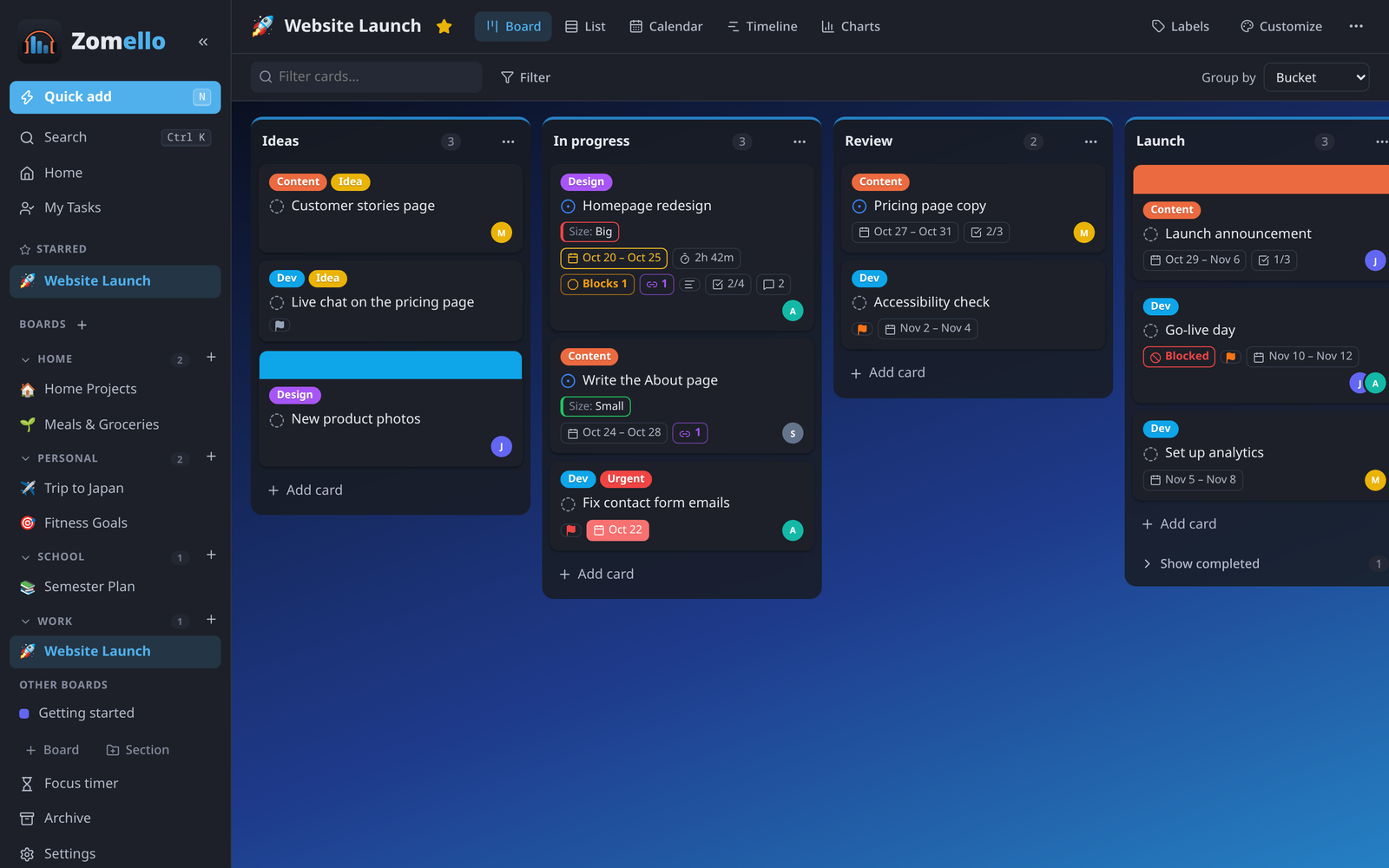
Zomello is a planner for any occasion. Boards hold buckets (columns) of cards you drag along as work moves, like Trello, with the task details of Microsoft Planner. It runs on Windows, Linux, Android, iPhone and iPad, keeps your boards on your own devices, and has no ads, no tracking and no account.
Start here
- New? Quick start gets you going in ten minutes.
- Your situation, step by step: Set-up scenarios (just a phone, computer and phone, a family, a team, switching from Trello…).
- Want everything? The advanced features cover every option.
What you can do
| Organize | Boards grouped in sections, buckets, cards with checklists, labels, priorities, dates and people (Boards, Cards) |
| See it your way | Board, List, Calendar, Timeline and Charts, plus Home and My Tasks across every board (Views, Home) |
| Never forget | Repeating tasks, reminders, a daily summary, late badges (Cards in depth) |
| Go deep | Sub-tasks, linked and blocked tasks, custom fields, templates, time tracking, a focus timer, card aging (Custom fields, Templates) |
| Make it yours | Themes, colors, backgrounds, what cards show, compact layouts (Customizing a board, Settings) |
| Phone and computer | Your computer's boards on your phone over your Wi‑Fi, boards dragged between devices, private boards (Phone and computer) |
| Share | Board files for anyone, or your own Zomello Server for a family or team (Board files, Server) |
| Move in | Import from Trello and Microsoft Planner (Import) |
| Fast | Quick add, search, keyboard shortcuts, copy and paste cards (Keyboard, Copy and paste) |
| Accessible | Zoom, high contrast, reduced motion, larger targets, full keyboard use (Accessibility) |
No AI inside
Zomello has no built-in AI and never sends your data anywhere. Its optional AI tools only prepare text you can copy into an assistant yourself, if you want to.
Get Zomello
- Windows, Linux, Android: the latest release on GitHub
- iPhone and iPad: the App Store. Android: Google Play.
- Try it without installing: the online demo
- Zomello Server (Docker and others): see Zomello Server