
Settings
Everything in Settings (bottom of the menu), section by section. The buttons at the top jump to each section.
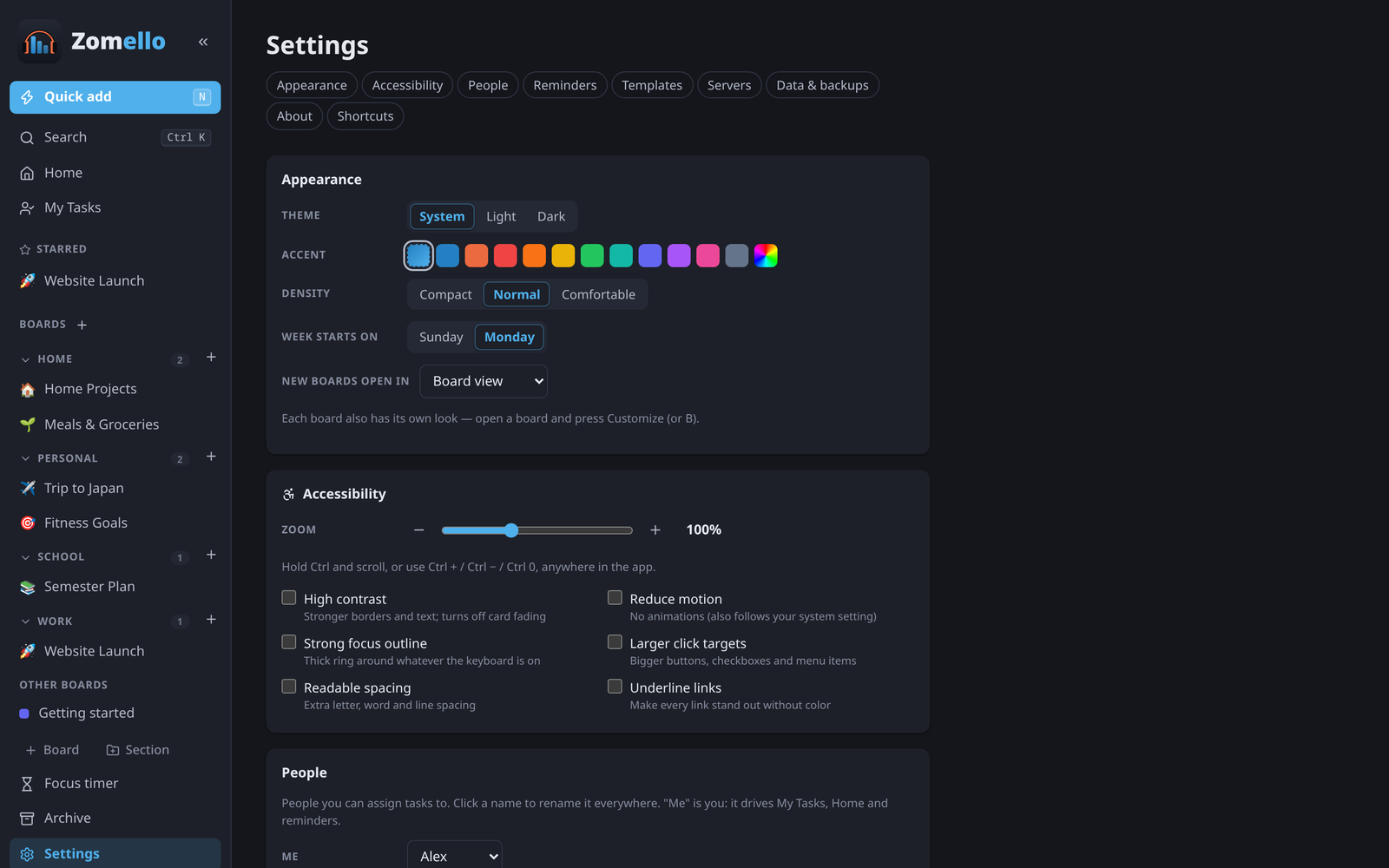
Appearance
| Setting | Choices |
|---|---|
| Theme | System (follows your device), Light, Dark |
| Accent | The color of buttons and highlights: Zomello blue or any other color |
| Density | Compact, Normal, Comfortable |
| Week starts on | Sunday or Monday (calendars and "this week") |
| New boards open in | Board, List, Calendar or Timeline view |
Each board also has its own look: Customizing a board.
Accessibility
See Accessibility: zoom, high contrast, reduce motion, strong focus outline, larger click targets, readable spacing, underline links.
People
The people you can assign cards to. Me is you: it decides what's on Home and in My Tasks, and which reminders are yours. Click a name to rename it everywhere; the × removes it; Add a person… adds one.
Reminders
- Notifications on or off.
- Daily summary of late and due-today tasks, at a time you choose.
- Send a test notification to check they show up.
Templates
Your card templates: rename or delete them. See Templates.
Servers
- Zomello Servers: add one by address, or Find servers on this network. Each opens in its own window on a computer, or under its own heading in the phone app's menu. See Zomello Server.
- Boards on your computer (phone and tablet apps): connect to your computer, scan its QR code, and Let my other devices see this phone's boards. See Your computer's boards on your phone.
Desktop app (computer only)
- Keep running in the tray when I close the window: phones stay connected and reminders keep coming.
- Start Zomello when I log in: it starts quietly in the tray. (Installed from the Microsoft Store: turn it on in Windows Settings > Apps > Startup.)
Phones & tablets (computer only)
Let your phones and tablets use this computer's boards: turn it on, allow it through the firewall, install the certificate on each device, pair devices, and manage paired devices. Step by step: Your computer's boards on your phone.
Data & backups
- Where your data is stored.
- Export JSON, Restore from Zomello JSON, Import a board, Clean up unused files.
- Automatic backups with Restore.
See Data and backups.
About and Shortcuts
The version you're running, and (on a computer) every keyboard shortcut.