
Cards
A card is one task. Click it to open it; everything saves as you type, and Esc (or clicking outside) closes it.
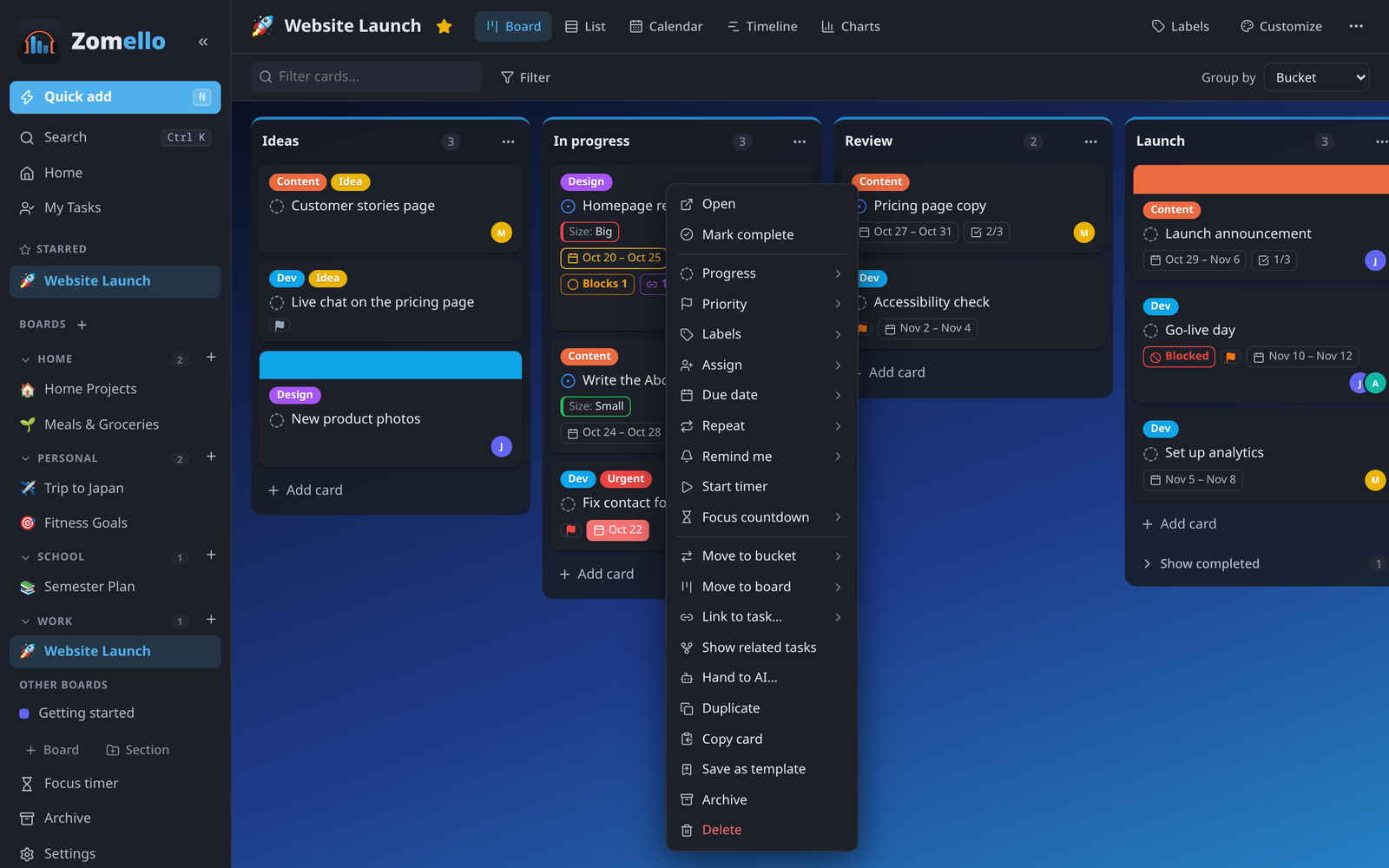
On the board
- Add: + Add card under a bucket. Press Enter to add it and start the next; Esc to stop.
- Move: drag it to another bucket or position. On a phone, press and hold briefly, then drag.
- Complete: click the circle next to its title.
- Right-click (press and hold on a phone) for the card menu: progress, priority, labels, people, due date, repeat, reminders, timers, move, link, copy, template, archive and delete.
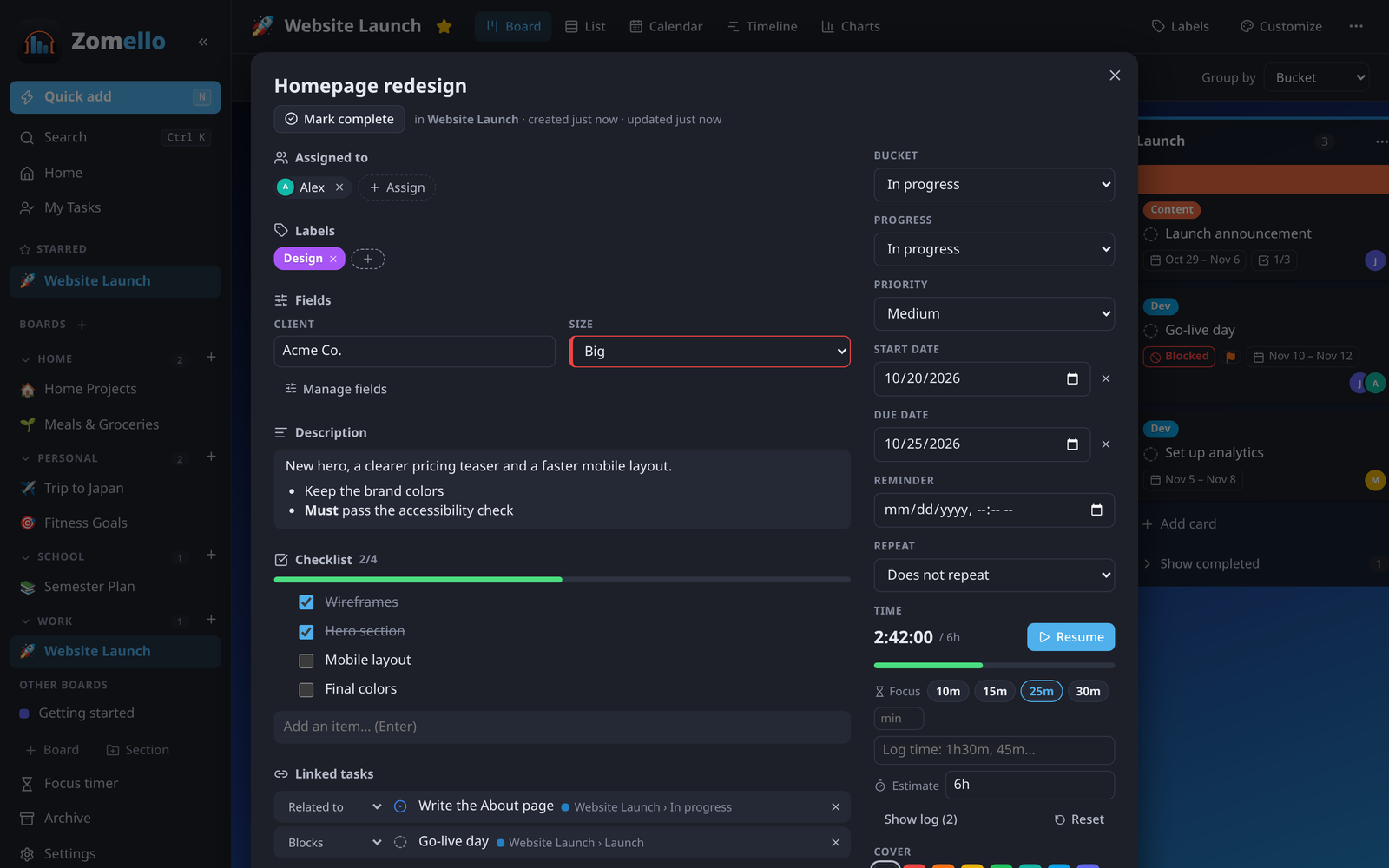
The main parts of a card
| Part | What it's for |
|---|---|
| Title | Click to edit |
| Mark complete | Finishes it. Completed cards fold under Show completed |
| Bucket | Which column it's in |
| Progress | Not started, In progress, Waiting (on someone else), On hold (paused on purpose), Completed |
| Priority | Urgent, Important, Medium, Low. Urgent and Important show a colored flag |
| Start date / Due date | Cards show "in 3 days", "today" or "2 days late" |
| Assigned to | People from Settings > People. Yours show on Home and in My Tasks |
| Labels | Colored tags. Labels at the top of the board manages them |
| Description | Longer details, with formatting (see below) |
| Checklist | Steps to tick off |
| Notes | Comments with dates, newest first |
The rest (repeating, reminders, sub-tasks, linked tasks, files, covers, time tracking, custom fields) is in Cards in depth.
Formatting text
The description and notes support Markdown, with a toolbar: bold (Ctrl B), italic (Ctrl I), strikethrough, heading, bulleted and numbered lists, checklist, quote, inline code (Ctrl E), code block, link (Ctrl K), table and divider.
- Checklist boxes inside a description can be ticked right in the finished text.
- Code blocks get a Copy button.
- Links open in your browser.
Quick changes without opening the card
From the card menu: Due date > Today / Tomorrow / Next week / In 2 weeks, Remind me > In 1 hour / Tomorrow 9:00…, Move to bucket, Move to board, Duplicate, Archive.
On a computer, point at a card and press: C complete, D due today (press again for tomorrow), A archive, Shift D duplicate. More in Keyboard shortcuts.