
Home, My Tasks and search
Home
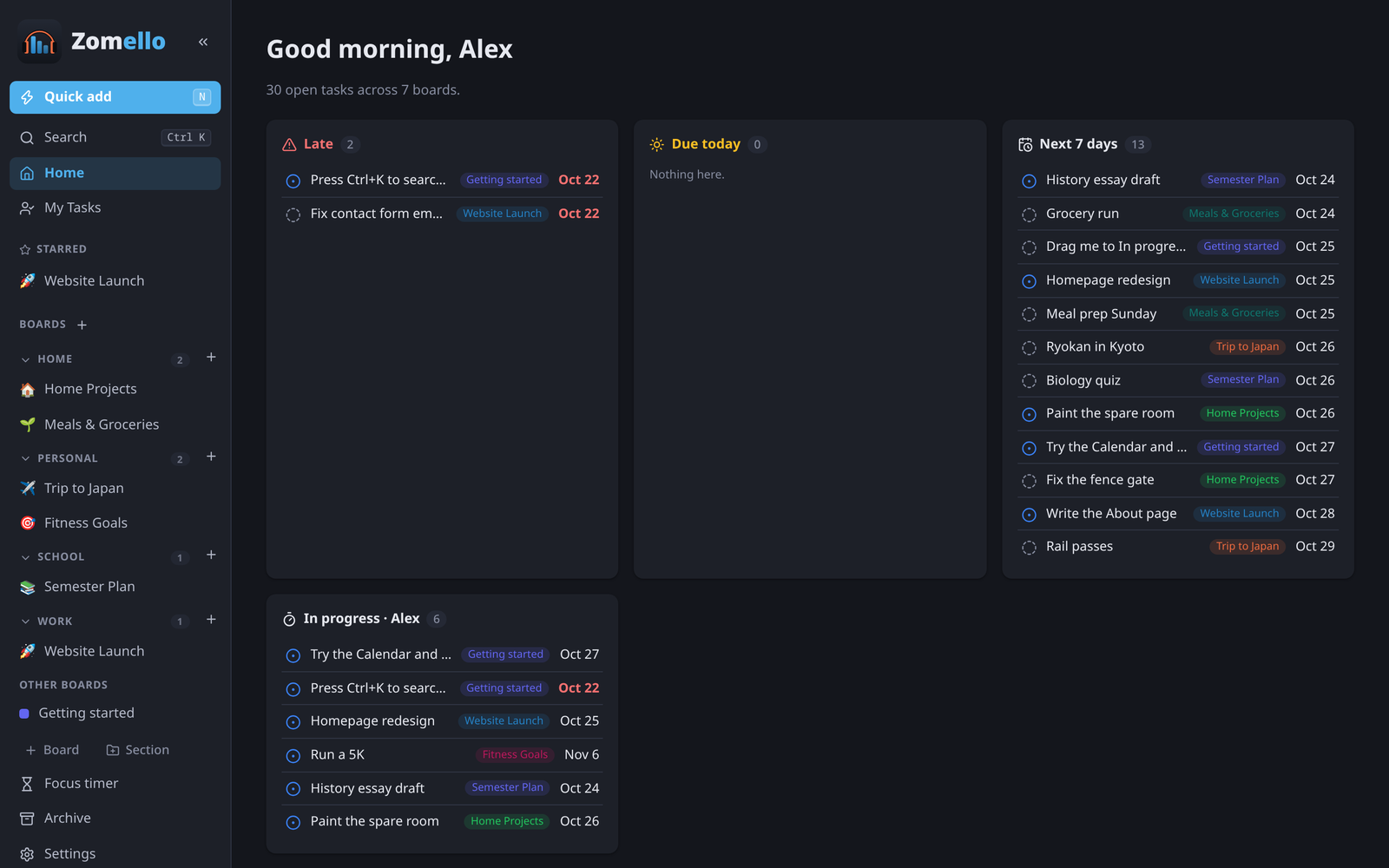
Home gathers what needs attention across every board:
- Late: past their due date
- Due today
- Next 7 days
- In progress: assigned to you and started
- Boards: every board by section, with how much is done and how much is late
Click any task to open it, or a board to go there. On a computer, H goes Home from anywhere.
My Tasks
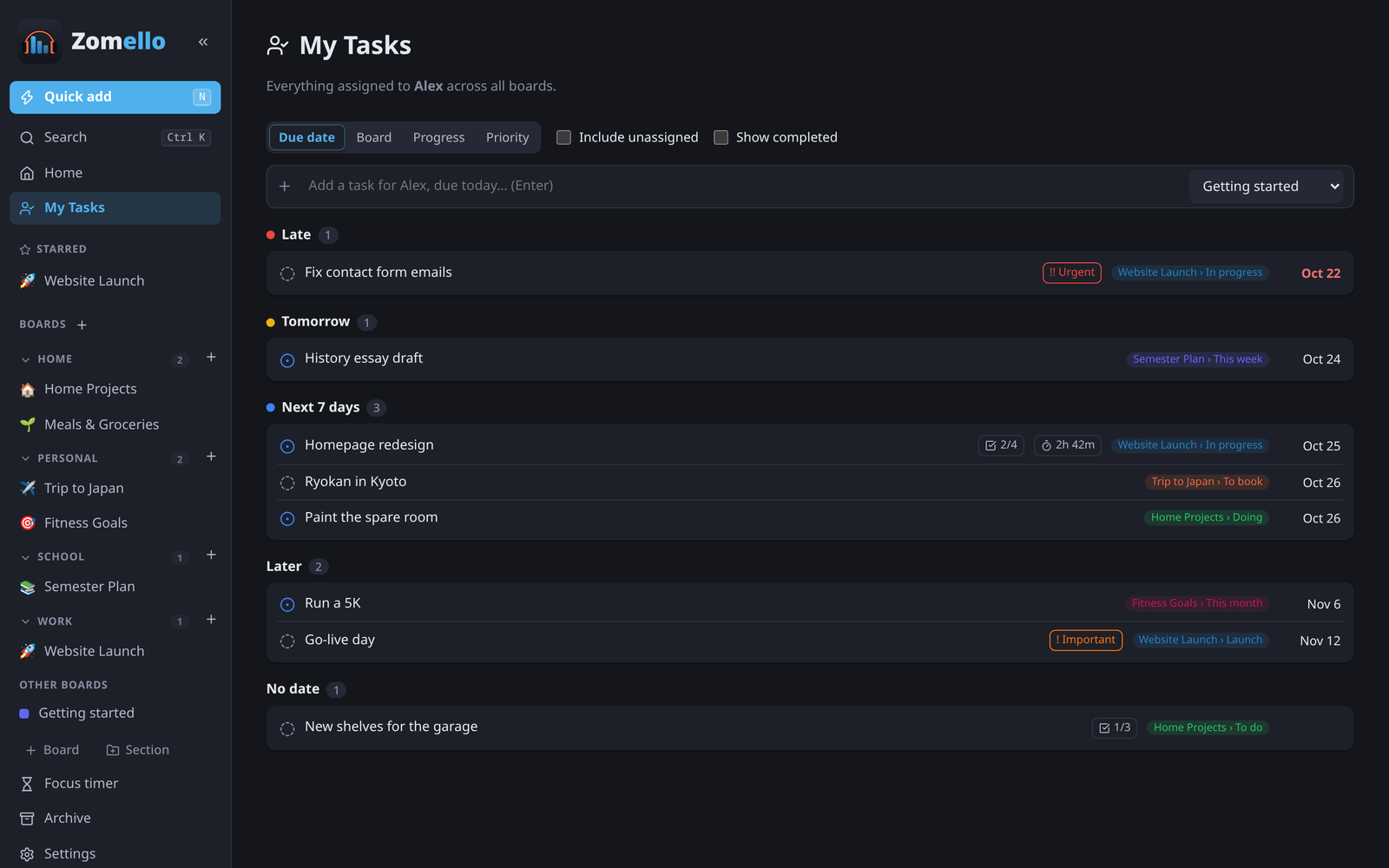
Everything assigned to you, across all boards.
- Group by Due date, Board, Progress or Priority.
- Include unassigned adds cards nobody has. Show completed adds finished ones.
- Add a task for (you)… at the top: type, pick a board, Enter.
- On a computer, M opens My Tasks.
"You" is whoever is set as Me in Settings > People.
Search
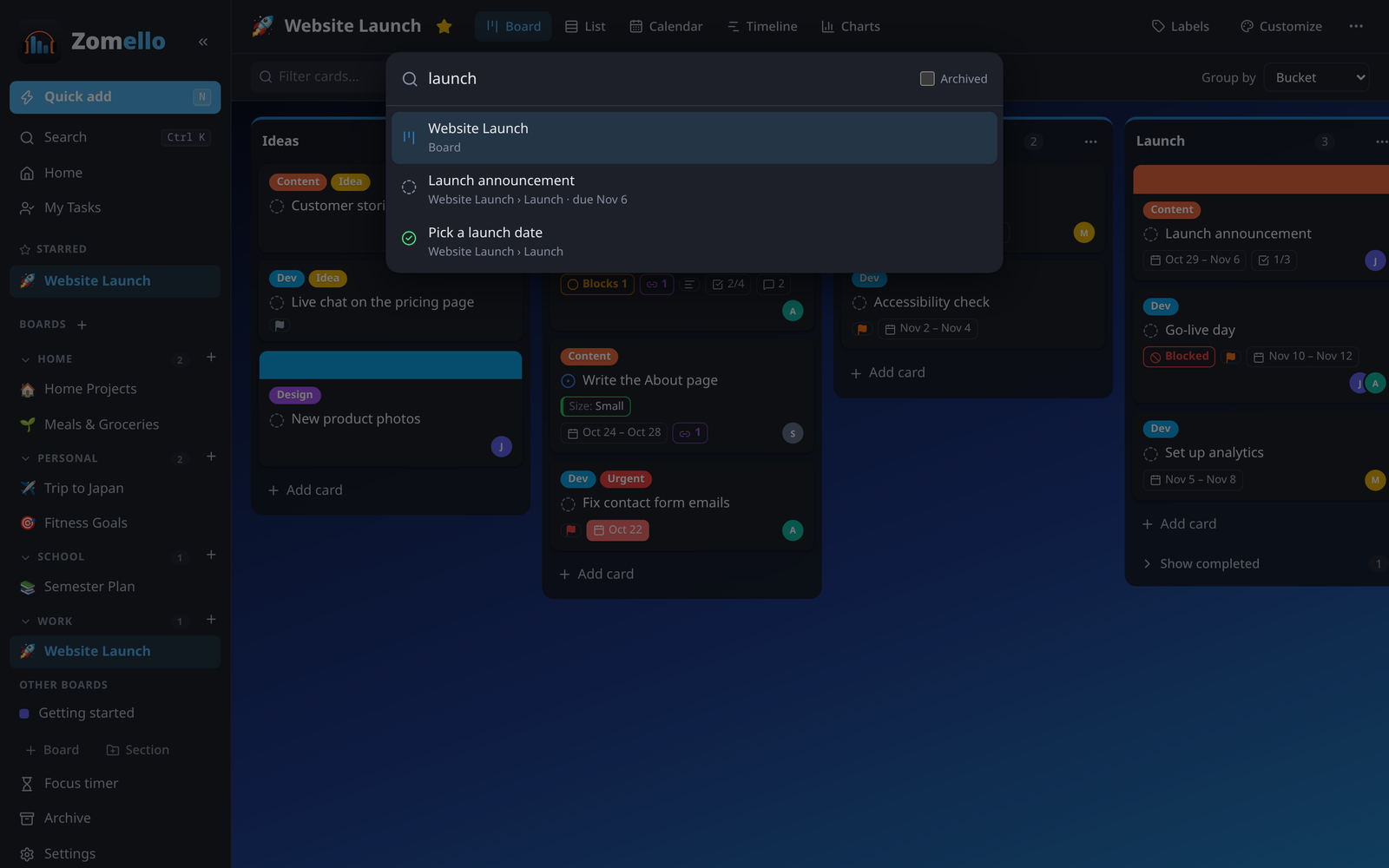
Ctrl K (or the magnifier on a phone, or Search in the menu) searches board names, card titles, descriptions, checklists and notes as you type. Tick Archived to include archived cards. Use the arrow keys and Enter, or click a result.
Quick add
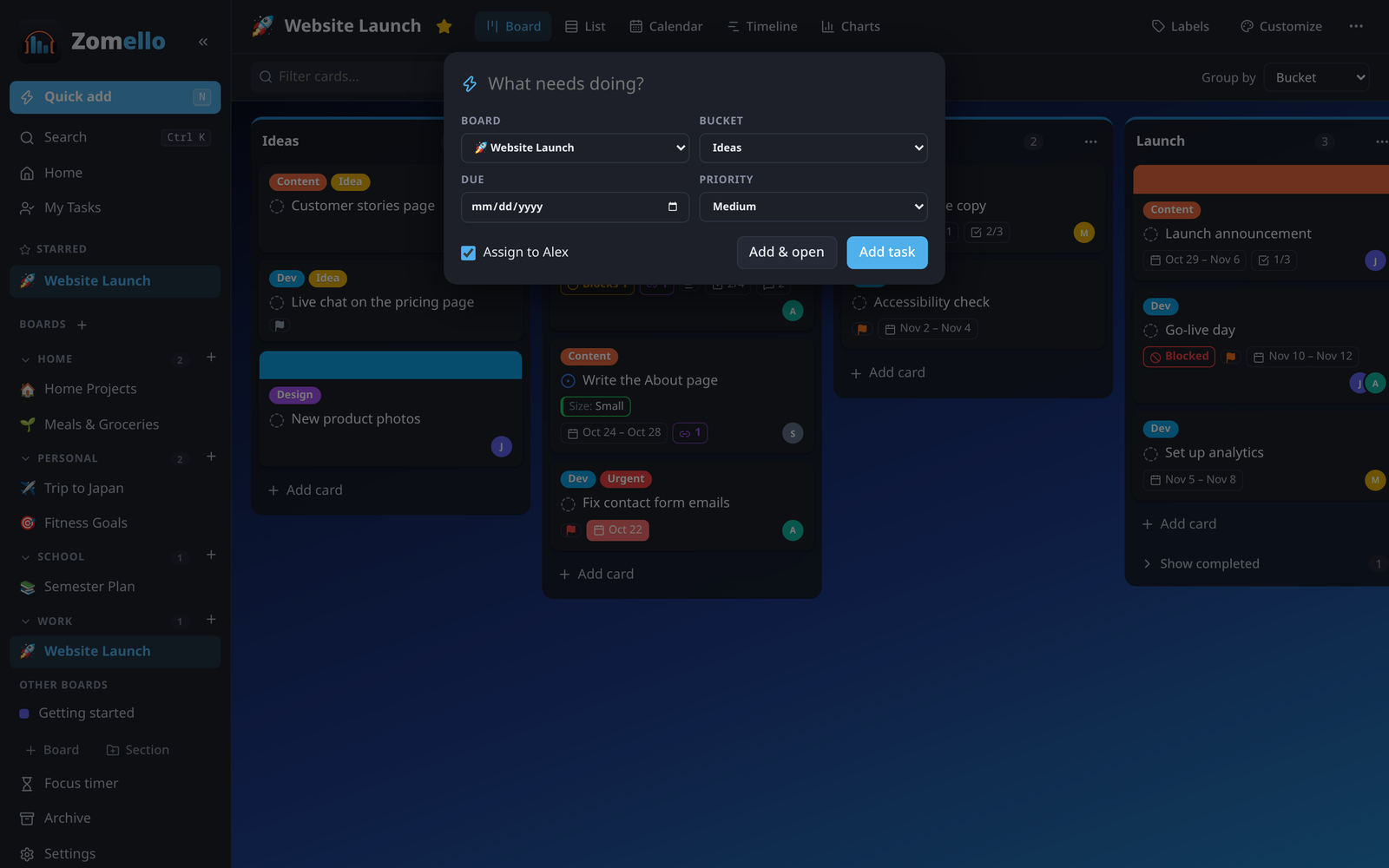
Add a task to any board without leaving what you're doing: N on a computer, Quick add at the top of the menu, or + at the top on a phone.
Pick the board and bucket, optionally a due date and priority, and whether to assign it to you. Add task saves it; Add & open opens it right away. Your templates are offered here too.
Focus timer
Focus timer in the menu starts a countdown: 5 to 60 minutes, or your own length. Start one from a card (Time > Focus, or right-click > Focus countdown) and it also tracks the time on that card. You get a chime and a notification at the end. The countdown shows in the menu while it runs.
Undo
Ctrl Z undoes the last change (Ctrl Shift Z or Ctrl Y redoes it). Deleting or archiving something also shows a message with an Undo button.