
Work limits
How long people may work, how much they must rest and how much pilots may fly. The checks, Fill the schedule, Rebalance and the Crew planner all follow them. Open Settings > Hitches and days off to follow along.
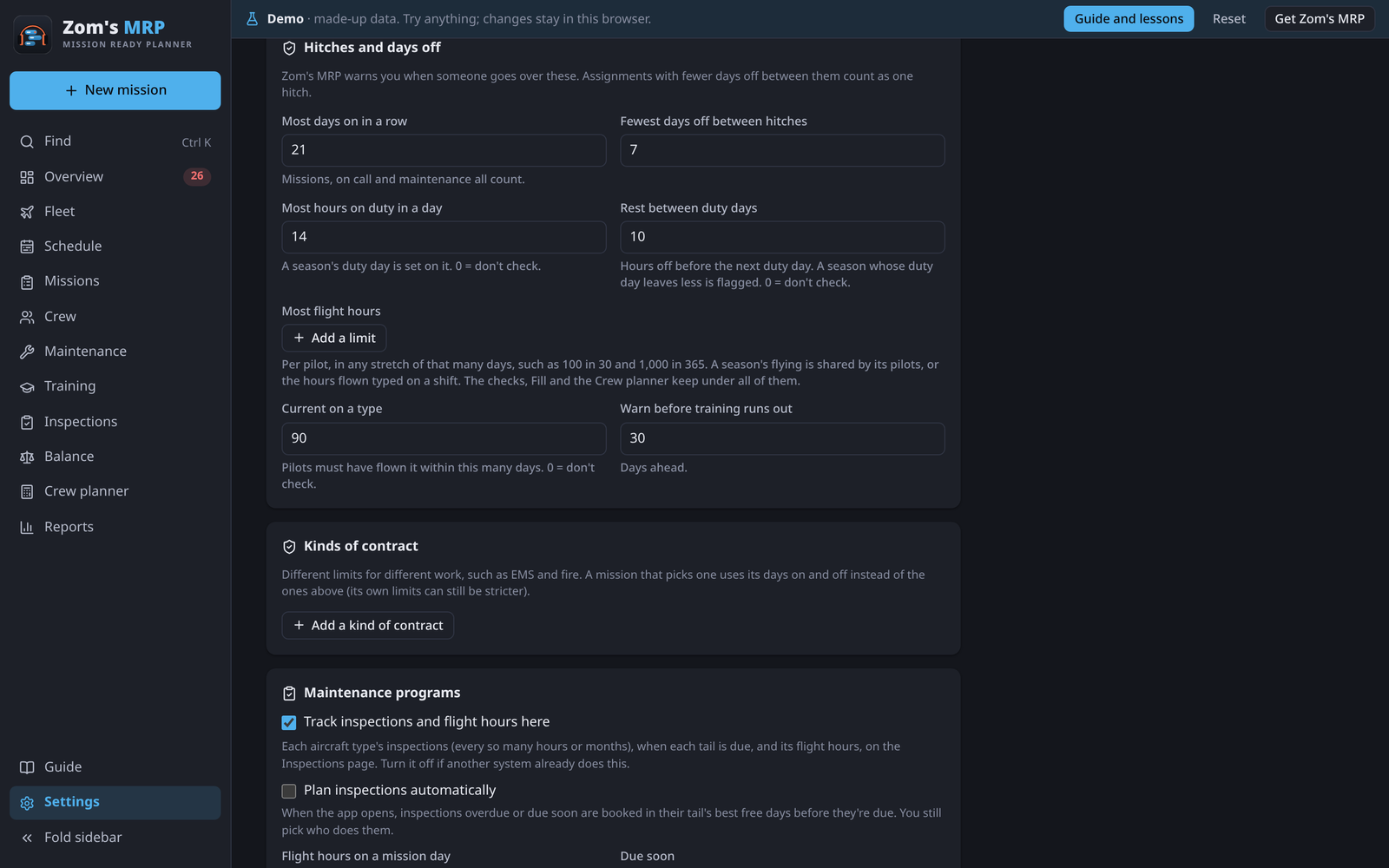
The rules for everyone
| Setting | What it does |
|---|---|
| Most days on in a row | The longest hitch. Missions, on call and maintenance all count. |
| Fewest days off between hitches | Shifts with fewer days off between them count as one hitch. |
| Most hours on duty in a day | A season whose Hours on duty in a day is longer is flagged. 0 doesn't check. |
| Rest between duty days | Hours off before the next duty day. A season whose duty day leaves less is flagged. 0 doesn't check. |
| Most flight hours | Flight-hour limits, below |
| Recency of experience | Pilots must have flown a type within this many days to be booked on it. Untick Check it to turn it off. |
| Warn before training runs out | Days ahead |
Flight-hour limits
A limit is so many flight hours per pilot in any stretch of so many days, like 100 in 30. Add as many as you need, such as 100 in 30, 300 in 90 and 1,000 in 365, and the strictest one that applies stops a booking.
How a pilot's hours are counted:
- Planned: a season's aircraft flight hours a day, shared by its pilots. Two aircraft at 6 hours with two pilots is 6 hours each.
- Flown: once a shift is flown, type the logbook hours in its Flight hours flown. They're used instead of the plan, spread over the shift's days.
Any 30 days means every window, not calendar months: a pilot with 60 hours at the end of May and 60 at the start of June is over 100 in 30.
A pilot who would go over is flagged, Fill the schedule and Rebalance won't book them over, and the Crew planner works out how many pilots the limit takes.
Asked once
When you first open a version with flight-hour limits, the Overview asks Do your pilots have a flight-hour limit? Set this limit or No limit answers it, and you can change it here any time.
Kinds of contract
Different kinds of work can have different rules, such as EMS and fire. In Settings > Kinds of contract, Add a kind of contract with its name, days on and days off. Then pick it as the mission's Kind of contract on its Details tab, and the mission uses those days instead of the ones above.
Removing a kind puts its missions back on the rules for everyone.
Own limits
A person, a mission and a season can each tick Own limits under Work limits for their own most days on and fewest days off.
- The safest wins: the fewest days on and the most days off of all the limits that apply.
- A season can tick Override to use its own numbers instead of the mission's and Settings'.
- A person's own limits always apply to them, even on an override.
In order: the kind of contract (or Settings), then the mission, then the season, then the person.
Related
- Crew planner: how many pilots these rules take.
- Filling the schedule: how Fill keeps to them.
- Overview and problems: the hitch, duty and flight checks.
- Settings: every setting.