
Training
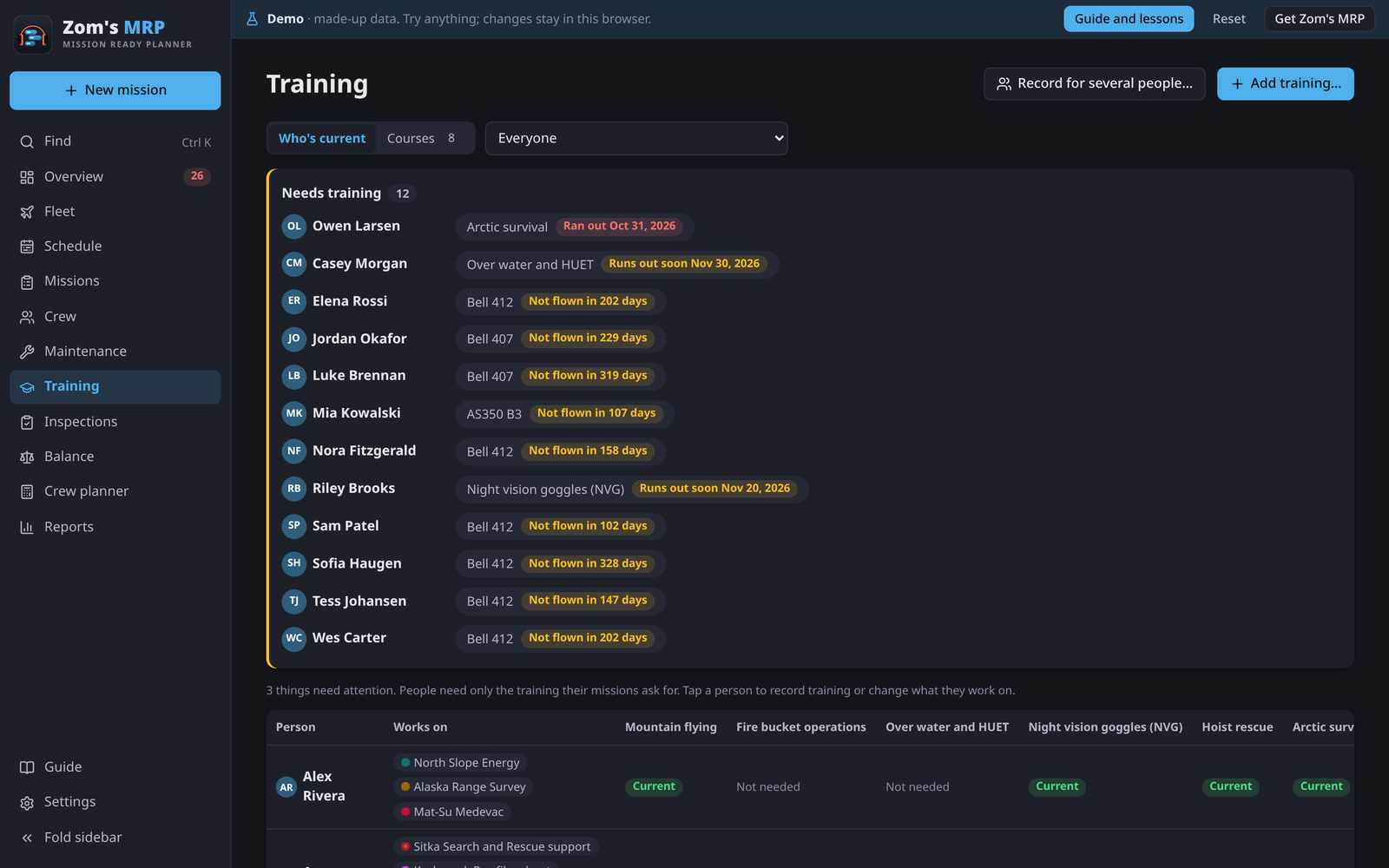
Each mission sets the training its crew need, so people only need the courses of the missions they work or are booked on. The Training page shows where everyone stands.
Courses
Press Add training… to add a course. Give it a name and Renew every (months), or 0 if it never runs out. Then tick it on each mission that needs it, on the mission's Training tab.
Who's current
Who's current shows everyone against every course they need: current, runs out soon, or lapsed. Narrow it to one mission's crew. Needs training lists only the people with something missing, run out or running out, or who aren't current on a type, each opening right at the fix.
Warnings start the number of days set in Settings > Hitches and days off before a course runs out (Warn before training runs out). Any shift where training would lapse mid-hitch is flagged.
Recording training
For one person
- Tap the person (on Training or Crew) and open their Training tab.
- Tap the course, or press Add training if it isn't there.
- Set Completed to the day they did it (Today fills in today). Runs out moves on by itself.
- Press Done, then Save.
For a class
- Press Record for several people… (or open the course and press Record it for several people…).
- Pick the course and the day, then tick who attended. Tick everyone who needs it does it in one go.
Extending a course
When someone can't get back for a renewal, press Extend it on the training problem. Pick the day it counts as current until and write why, like "On the North Slope job until June". It shows Extended with the reason. Only use it where your operation allows.
Night qualification in the Crew planner
The Crew planner can ask that night pilots hold a course, such as night vision goggles. Pick which course means "night qualified" there.
Related
- Missions and seasons: where a mission's training is set.
- Crew and time off: a person's training tab.
- Overview and problems: training problems and their fixes.