
Fleet
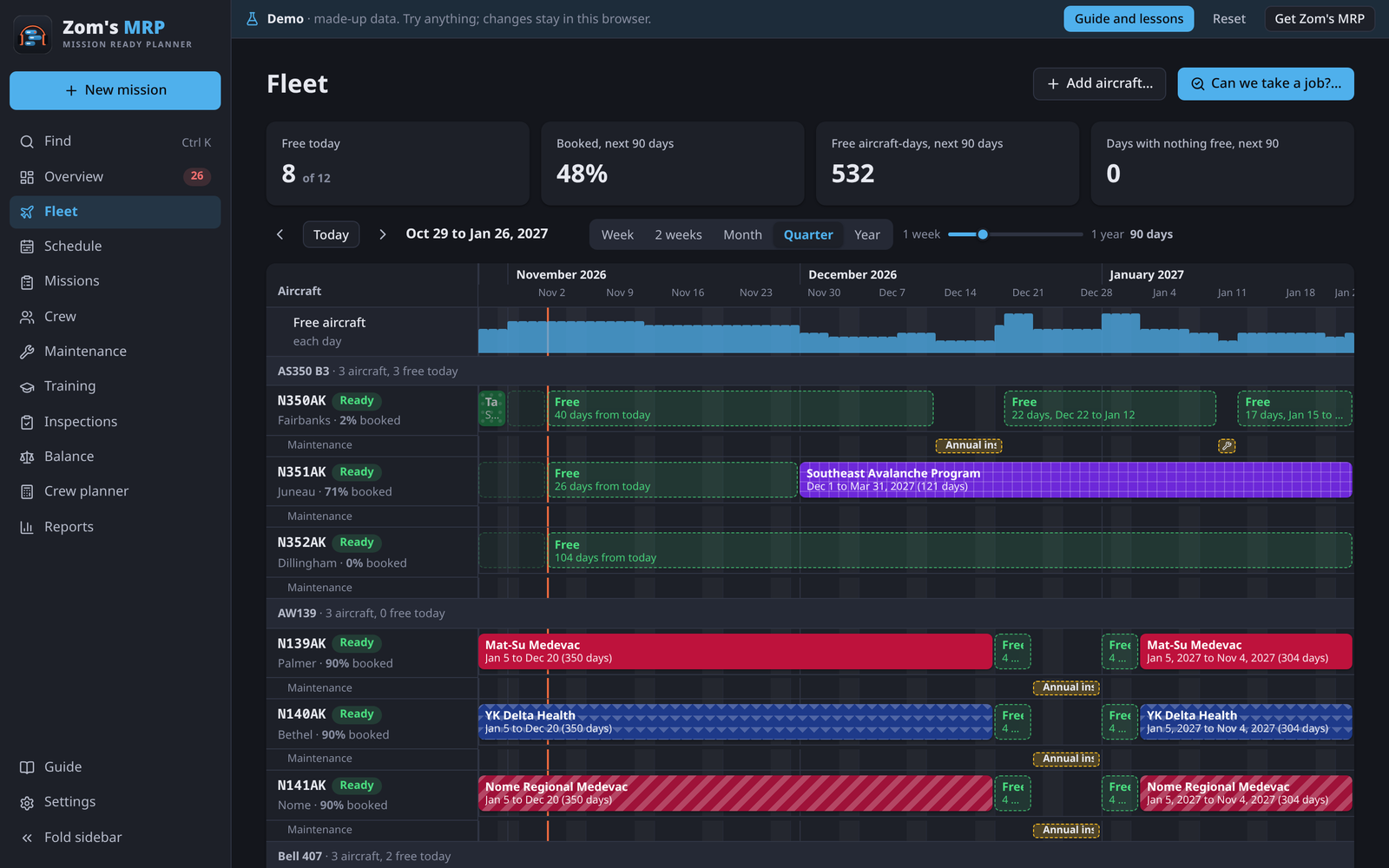
The Fleet page shows what the fleet can support: every tail over time, grouped by type, with its missions, its maintenance and the free windows in between. Tap a free window to book it.
Reading the board
| What you see | Means |
|---|---|
| Colored bars | Missions, each in its own color and pattern |
| Green dashed blocks | Free windows, counted from today |
| The thin row under a tail | Its maintenance. A job that grounds it is outlined red if a mission is booked on top. |
| Free aircraft each day at the top | How many tails are free each day. A red mark means none. |
| The line down the chart | The start of today |
The tiles above it show how many tails are free today, how booked the fleet is over the next 90 days, and free aircraft-days.
Moving around
Pick Week, 2 weeks, Month, Quarter or Year, or use the slider. Ctrl + scroll (or pinch) zooms, and dragging or Shift + scroll moves through time. Today jumps back.
Can we take a job?
When a customer calls, check here before saying yes.
- Press Can we take a job?.
- Pick the first and last day, the Aircraft type (or any), the Pilots on board and any training the crew need.
- Read the answer, tail by tail: Can do, Short crew or Can't, with the reason and the first day a busy tail is free.
- Press Book on… beside a tail to start the mission with it all filled in.
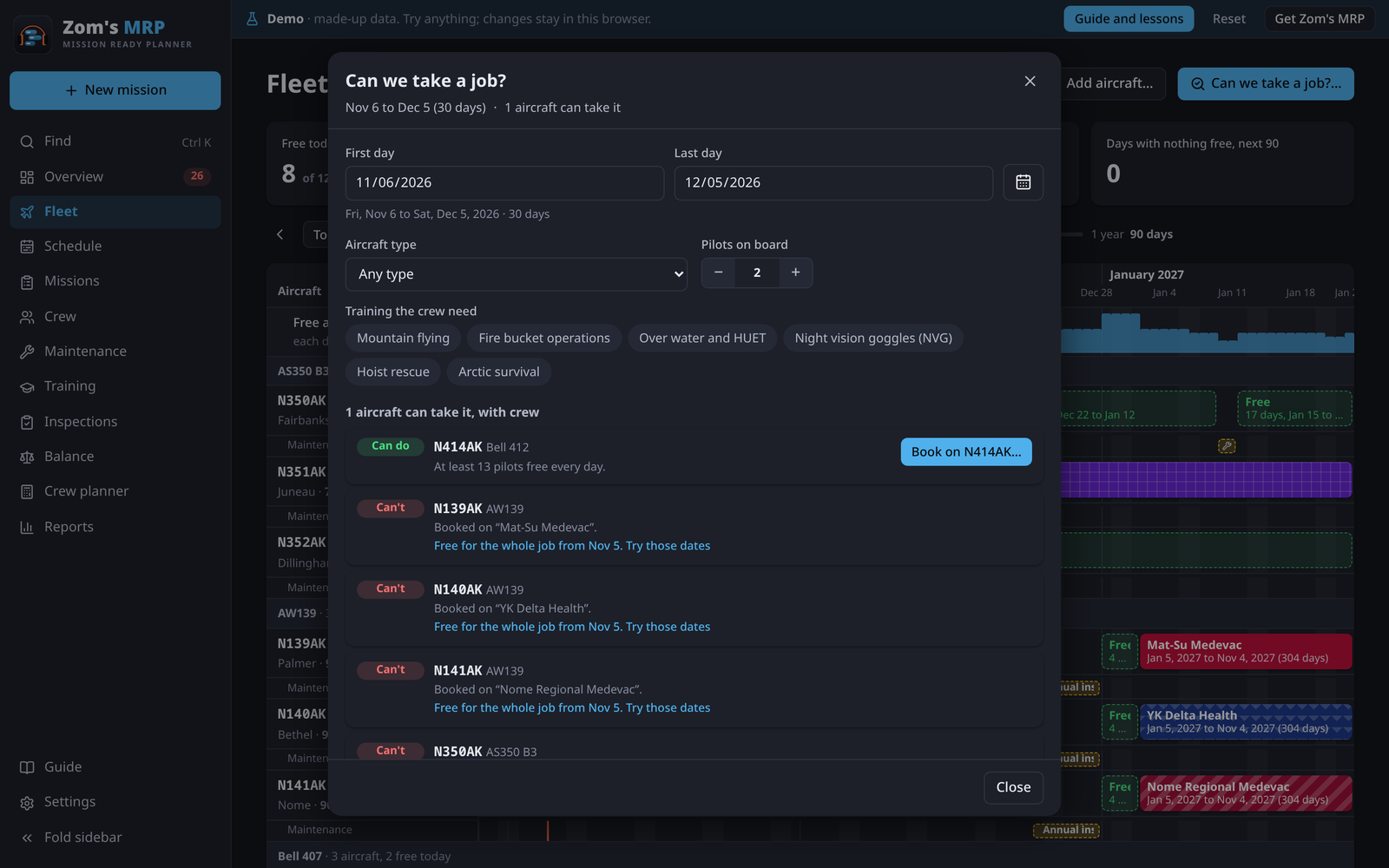
It checks the tails, and also whether enough rated, current, free pilots exist for those dates. For how many pilots the whole job takes over its run, use the Crew planner.
Adding and changing aircraft
Press Add aircraft…. Each aircraft has:
| Field | What it does |
|---|---|
| Tail number | How it's named everywhere, like N412ZM |
| Type | Like Bell 412. Pilot and maintainer ratings match this. |
| Status | Ready, In maintenance, Grounded or Retired |
| Pilot seats | 1 or 2. Booking more pilots than this is flagged. |
| Base | Where it's kept |
| Cost per flight hour | Optional, for costs |
| Hours on a mission day | Its flight hours on a mission day, for inspections and flight limits. Empty uses Settings. |
The aircraft's form also lists every pilot and maintainer to rate on its type with a tap.
Related
- Missions and seasons: putting tails on a job.
- Maintenance and inspections: the row under each tail.
- Crew planner: how many pilots a job takes.
- Schedule: the same plan by mission or by person.