
Crew and time off
The Crew page lists your pilots and maintainers. Tap someone to see their details, ratings, training and what they're booked on next.
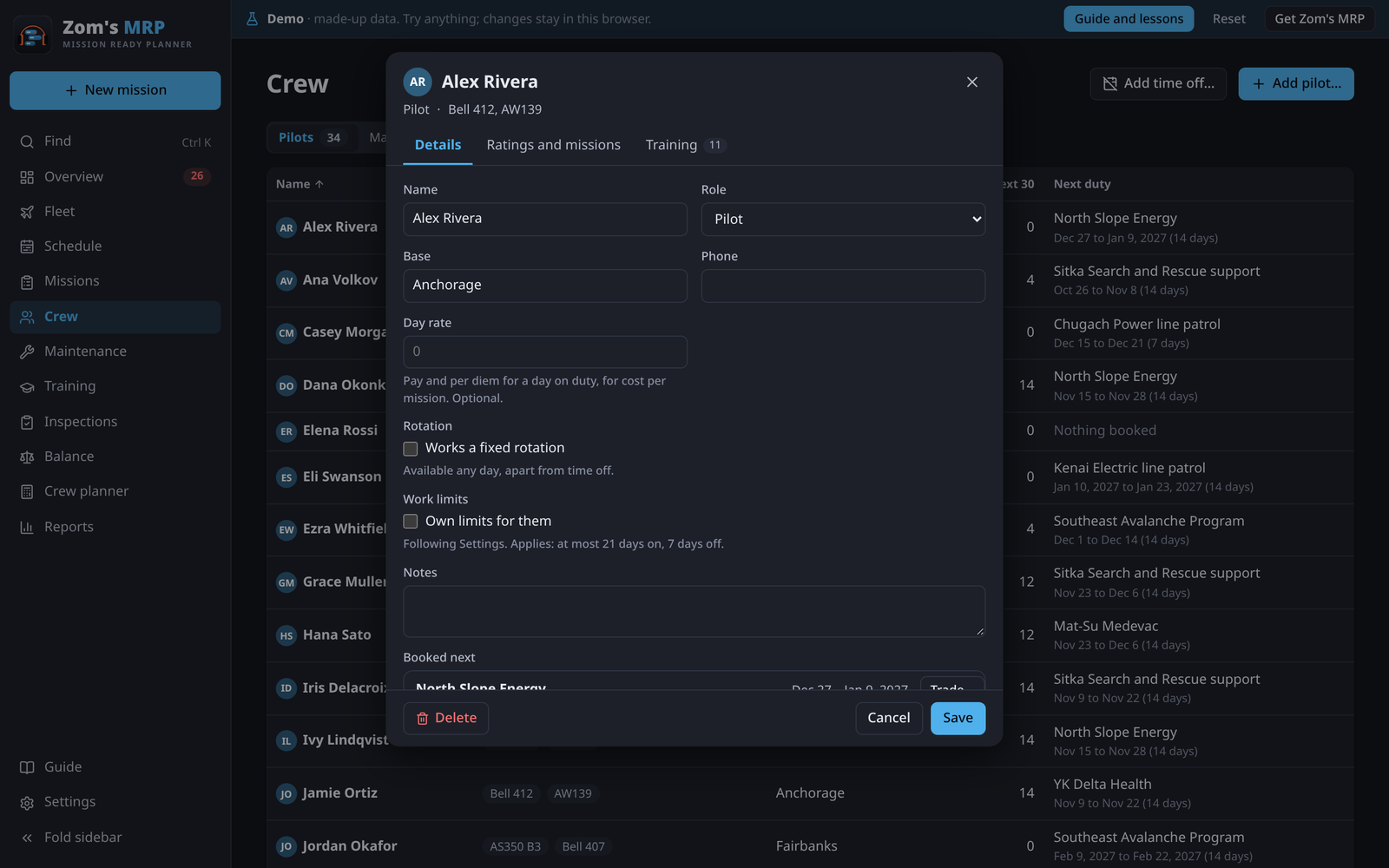
A person's tabs
| Tab | What's on it |
|---|---|
| Details | Name, role, base, phone, Day rate, their own fixed rotation, own Work limits, notes, and Booked next |
| Ratings and missions | The aircraft types they're rated on, when they last flew each type, and the missions they're on |
| Training | One line per course, with when it runs out |
A fixed rotation of their own
Tick Works a fixed rotation for someone on a set pattern, like 21 on, 14 off from a first day. They're only offered on their on days, their off days are shaded on the Schedule, and booking them on one is flagged.
Their schedule as a PDF
Their schedule (PDF) on a person makes their next 90 days on a page: shifts, handovers, notes, maintenance, time off and training.
Time off
- On Crew, press Add time off….
- Pick who, the first and last day, and a reason.
- Press Add time off.
Any shift they had on those days shows under Needs attention on the Overview. Swap them out opens the shift, ready to pick someone else.
Tick Only a preference for days someone would rather not work. They can still be booked and it's never a problem, but Fill and Rebalance pick someone else when they can. It shows lighter on the Schedule.
Trading and handing over shifts
- Open the person and, under Booked next, press Trade… beside the shift.
- Hand it to someone lists who can legally take it, the mission's crew first. Trade with someone lists two-way trades where each can take the other's shift.
- Tap one. Undo is in the message.
Recency of experience
A pilot is current on a type if they've flown it within the days set in Settings > Hitches and days off > Recency of experience (90 to start; untick Check it to turn it off). It comes from their shifts, or a Last flew date on Ratings and missions for flying done elsewhere. Booking someone who isn't current is a warning, and Fill won't do it.
Related
- Training: courses and who's current.
- Filling the schedule: who gets picked for a shift.
- Work limits: a person's own limits.
- Balance: how busy everyone is.