
Overview and problems
The Overview is where each day starts: what's flying, what's coming, and Needs attention, every problem Zom's MRP finds, worst first. Tap a problem to fix it.
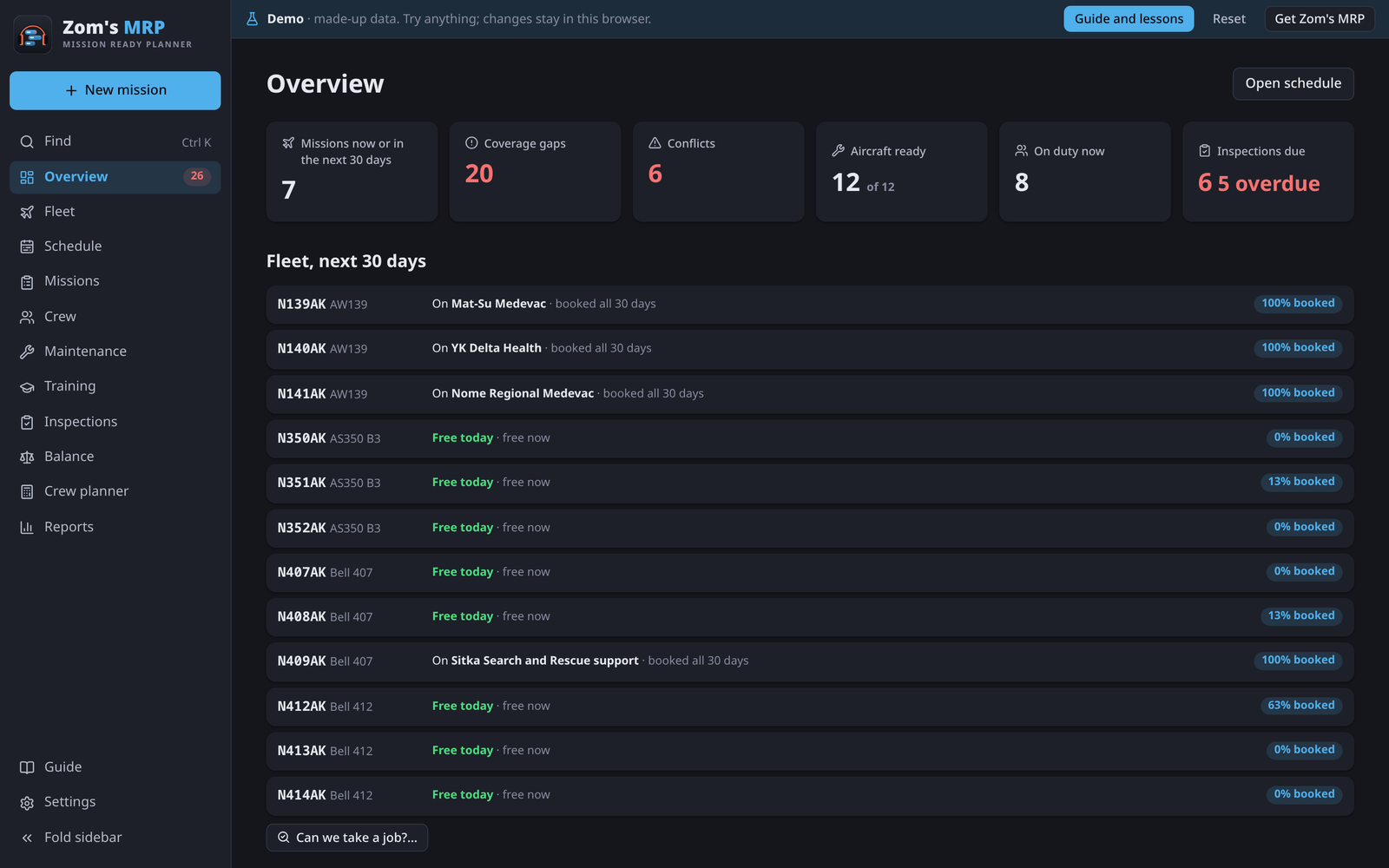
The tiles
| Tile | Shows |
|---|---|
| Missions now or in the next 30 days | Seasons flying or about to |
| Coverage gaps | Open seats: days a job needs one more pilot or maintainer |
| Conflicts | People or aircraft booked twice, or booked when they can't be |
| Aircraft ready | Tails that aren't grounded or retired |
| On duty now | People on a shift today |
| Inspections due | Overdue and due-soon inspections, when inspections are on |
Tap a tile to go to that page. Under the tiles, Fleet, next 30 days lists each tail with what it's doing and how booked it is.
Needs attention
Every problem, worst first. The number beside Overview in the sidebar is how many there are.
Each problem has a button for the usual fix, like Add a pilot, Swap them out, Record the training or Add the rating, and sometimes another way out, like Pick another aircraft. The button opens the right form on the right tab and outlines in red what to change.
When nobody can take an open seat, the season says why for the people closest to it (not rated, training run out, time off, off rotation), with a button to fix each.
What Zom's MRP checks
- Open pilot seats, and maintainers missing when the season needs them
- People or aircraft booked twice, or booked during time off or maintenance
- Confirmed jobs with no aircraft, and aircraft that are grounded or retired
- More pilots booked than the aircraft have seats
- People on a type they aren't rated on, not current on it, or booked on their own days off
- Training that's missing, has run out, or runs out during a hitch
- Hitches longer than the limit, or too few days off between them
- Duty days longer than the most allowed, or leaving too little rest
- Pilots who would fly more than a flight-hour limit
- Inspections overdue or due soon
Living with a problem
- Extend it on a training problem keeps a course current until a later day, with a reason, such as someone on a long job who can't get back for the renewal.
- Ignore… on any other problem hides it, with a reason. Show ignored under the list brings them back, with Restore.
Getting started
With nothing set up yet, the Overview shows a Getting started card instead, with the setup steps in order. See Quick start.
Related
- Fleet: the tails and their free windows.
- Filling the schedule: how open seats get filled.
- Work limits: the rules behind the hitch, duty and flight-hour checks.
- Training: who's current, and what runs out next.