
Reports and sharing
Reports shows fleet use, days per mission, how busy each person is and how much of the flying was fully crewed, for any dates, and turns it into pages to share.
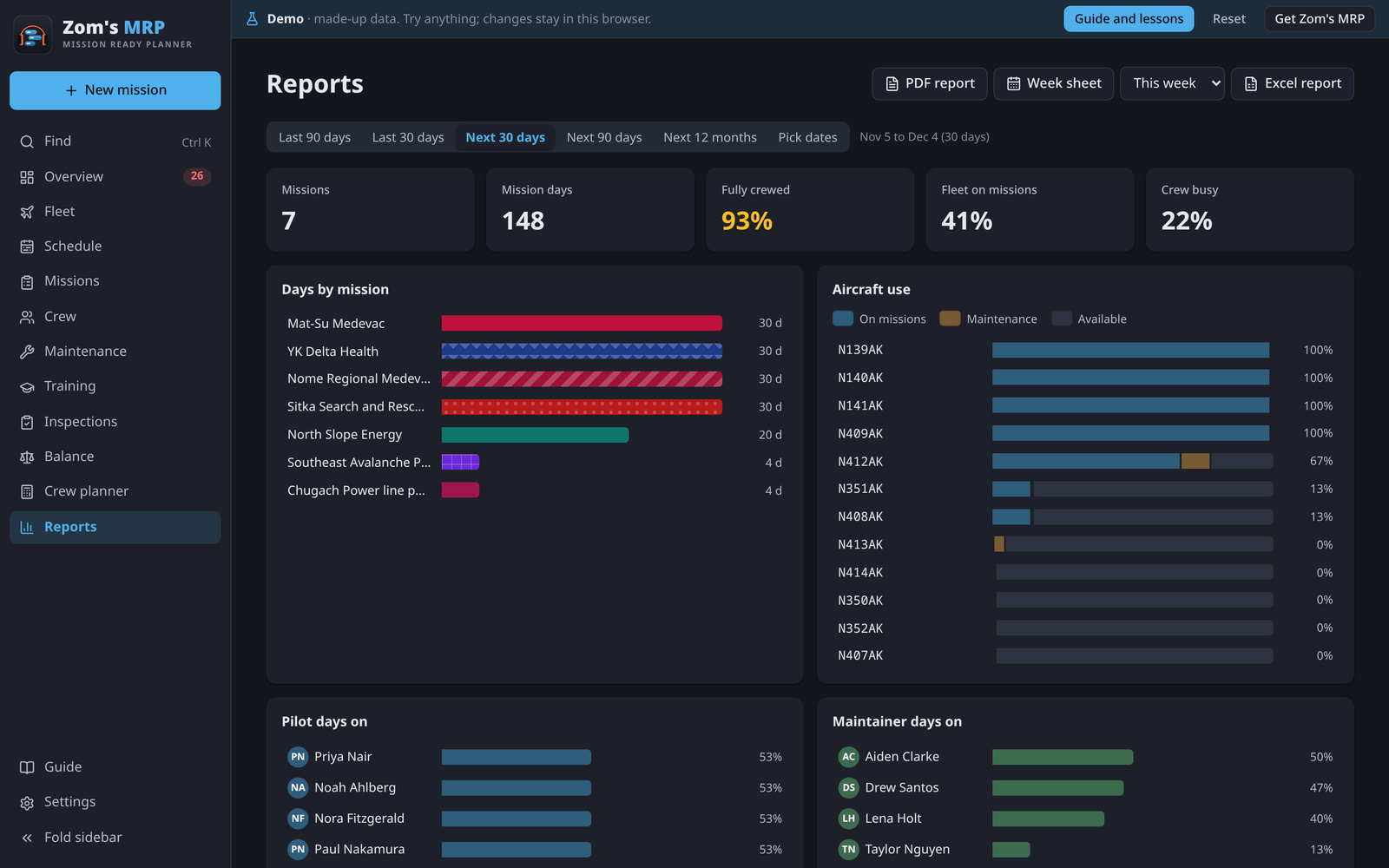
Picking the period
Pick one of the ready-made periods, This week, Next week and longer ones, or Pick dates for your own first and last day.
What's on it
| Part | Shows |
|---|---|
| The tiles | Mission days, fleet on missions, fully crewed, crew busy |
| Days by mission | Each mission's days in the period |
| Aircraft use | Each tail's days on missions and in maintenance |
| Missions in this period | Each mission, how well it's crewed, and its cost, charge and margin when rates are set |
| Crew | How busy each person is |
Pages to share
| Button | Makes |
|---|---|
| PDF report | A summary page, the fleet and crew boards colored like the app, the missions, workload, a training grid, maintenance and problems |
| Excel report | The same parts as sheets, each printing landscape, one page wide |
| Week sheet | One page for this week or next: each job's crew day by day, » where someone takes over, open seats in red, time off and maintenance |
They're saved to your Downloads folder.
The whole plan in Excel
Settings > Your data > Export to Excel makes one workbook of the whole plan: the fleet board, fleet use, seasons, the crew roster, training, maintenance and problems.
An Excel copy for Teams (desktop app)
The desktop app can keep an up-to-date Excel copy of the plan in a folder.
- In Teams, open the channel's Files and choose Sync, so OneDrive keeps that folder on this computer.
- In Settings > Excel copy for Teams, press Choose a folder… and pick it.
It's rewritten a few seconds after each change, so the team always has the latest. Write it now, Show it, Choose another folder… and Stop keeping a copy are beside it. The demo is never copied.
A person's own schedule
Their schedule (PDF) on a person makes their next 90 days on a page. See Crew and time off.
Related
- Costs: the money columns.
- The desktop app: the Excel copy and where files are saved.
- Data and backups: backups and imports.