
Games
The Games page lists the games on this computer that Zom's Modzilla can mod.
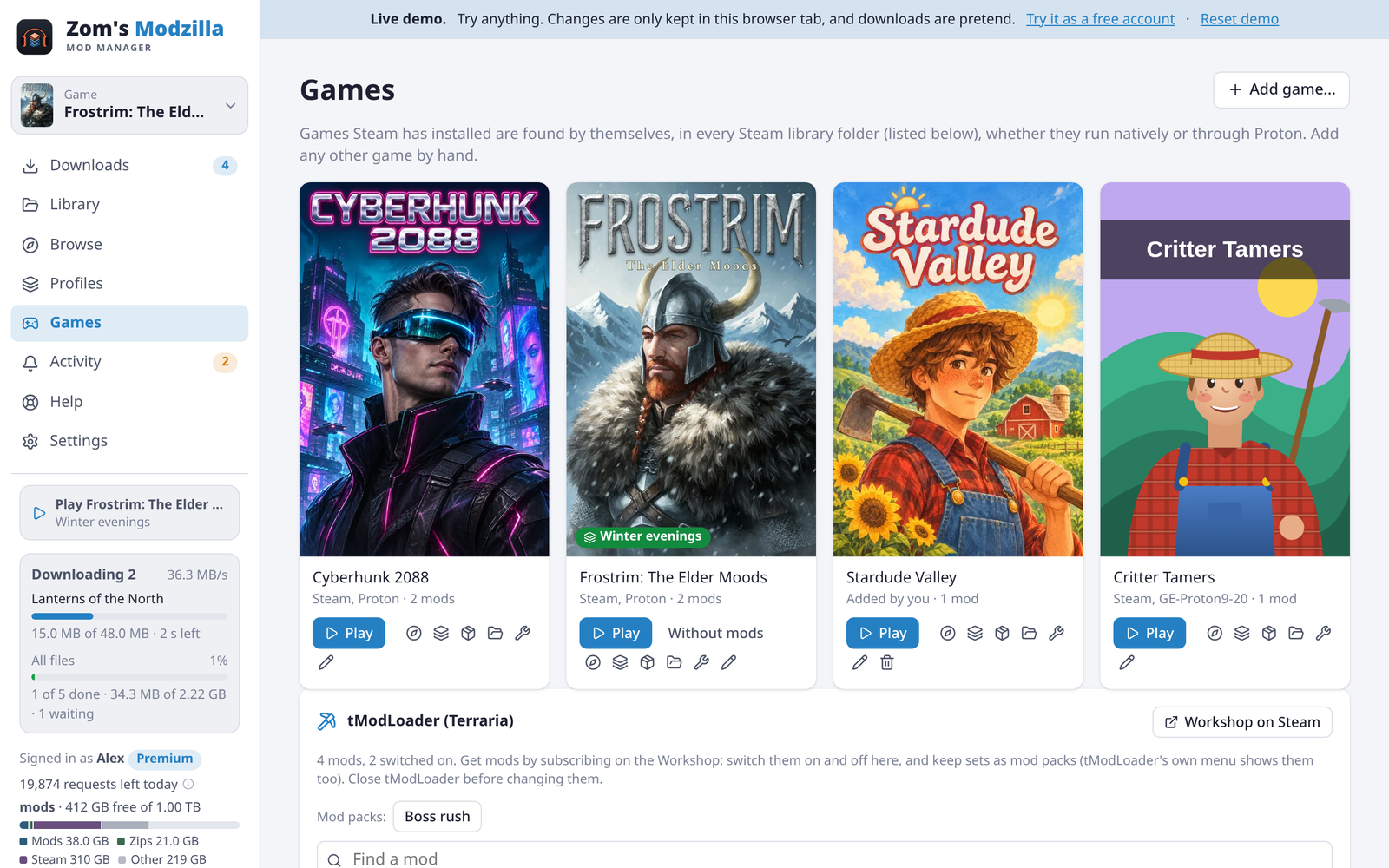
How games are found
- Steam: every Steam library folder (including Flatpak and Snap Steam, and other drives), native and Proton games alike. The page lists the folders it searched.
- Heroic (GOG, Epic, Amazon) and Lutris: their installed games, with their Wine or Proton prefix.
- Each game shows which Proton it runs with, how much room is on its drive, and when Steam last updated it.
Adding a game by hand
Add game… for anything else: pick the game on Nexus Mods, its install folder, and where its mods go. The start command is what Play runs (steam://rungameid/…, a script, a launcher).
Where mods go
Known games already know their mod folder: Data for Skyrim and Fallout, Mods for Stardew Valley, the game's own folder for Cyberpunk 2077 and The Witcher 3 (their mods bring their folders with them). For others, the pencil sets it: the folder inside the game where mods' files go. Some games' mods go in through their own tool instead (tModLoader for Terraria, ME3Tweaks for Mass Effect), and the game says so.
Save folders
For saves per profile and save snapshots, the app needs the game's save folder. Known games have it already, including inside their Proton prefix; set it with the pencil for others.
Each game's buttons
| Play | Starts the game (with the profile that's in it). |
| Without mods | Takes the mods out and starts the game as it came. |
| Game tools (wrench) | Script extenders from Steam, Windows parts in the prefix, modding tools, loaders: see Game tools. |
| Browse, Profiles, Its mods | Jump to that page for this game. |
| Open install folder | The game's folder in your file manager. |
| Pencil | Folders, start command, save folder. |
Art
Cover art, banners and logos come from Steam's own copy on your computer, then Steam's image server, then Nexus Mods' tile, and are kept so they show offline.
Uninstalled games
When a game with mods in it disappears (uninstalled in Steam), the app notices and offers to tidy up: its mods stay in the library unless you remove them.